


BetaFPV Pavo Series COB LED Strip
Ice Blue
$10.95 AUD
Skip to product information

Get directions


BetaFPV Pavo Series COB LED Strip
$10.95 AUD
GST included Shipping calculated at checkout.
Out of stock
Order in
H, M,
Seconds
(before 1pm Sydney time) for same day despatch.
Pickup not available
1/80 Somersby falls RD, Somersby NSWNo stock currently available
Product details
0 Hand-picked accessories
Compatible options selected by our team
Are you looking to buy a BetaFPV Pavo30 Frame Kit in Australia?
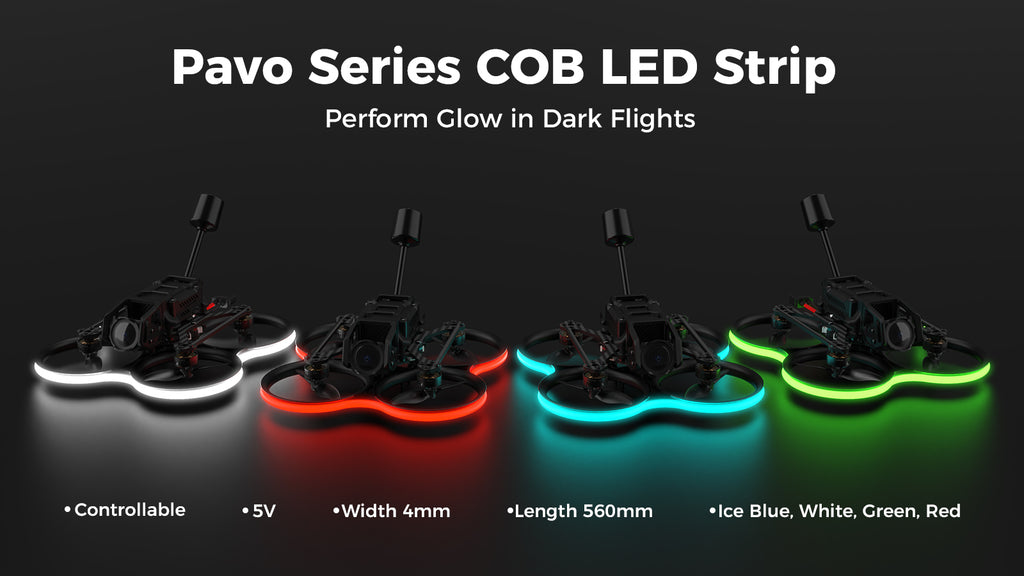
The Pavo Series COB LED Strip is a 5V-powered LED strip measuring 560 mm*4 mm. It provides increased visibility and facilitates easy observation of the drone's flight by the pilots during nighttime or poorly lit conditions, which also enhances operational safety, It can be securely mounted on the frame whoop duct, adding unique lighting effects and a visually captivating appearance. Choose from a single color option of ice blue, white, green, or red, or even mix multiple colors to personalize and elevate your flying experience while ensuring safety.
Specifications
- Item: Pavo Series COB LED Strip
- Color: Ice Blue, White, Green, Red
- Length: 560mm
- Width: 4mm
- Supply Voltage: 5V
- Current: 450mA~600mA
- Control Signal: High and Low Logic Levels
- Applicable Drone: Pavo Pico, Pavo20, Meteor85
Configuration
- Connect the flight controller to the Betaflight configuration and switch to the CLI configuration interface.
- Enter the RESOURCE in the CLI configuration interface and press ENTER to export the port pin configuration definition of the flight control.
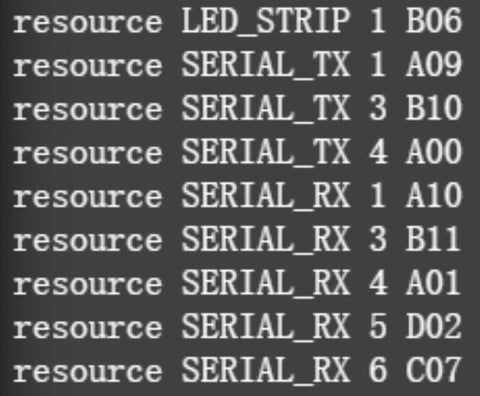
- Select the available port on the flight controller as the control port to control the COB LED Strip. The following takes the TX1 port of the UART1 port as an example to configure the PINIO function of the flight controller:
| resource SERIAL_TX 1 NONE | //Turn off the serial port function of the TX1 pin |
| resource PINIO 1 A09 | //Configure the TX1 pin (i.e. A09 pin) as the No. 2 PINIO function |
| set pinio_box = 40,255,255,255 | //Set PINIO function range |
| save | //Save configuration |
- Configure the PINIO function mapping relationship between the radio controller and the flight controller. In Betaflight Configuration, map the PINIO function No. 1 (USER1 in the picture below) to the AUX3 channel of the radio controller (or other channels are acceptable).

Note: The appearance of the Ice Blue COB LED Strip is light yellow, while the Green strip is white, and the white strip is yellow.
Includes
- Item: Pavo Series COB LED Strip
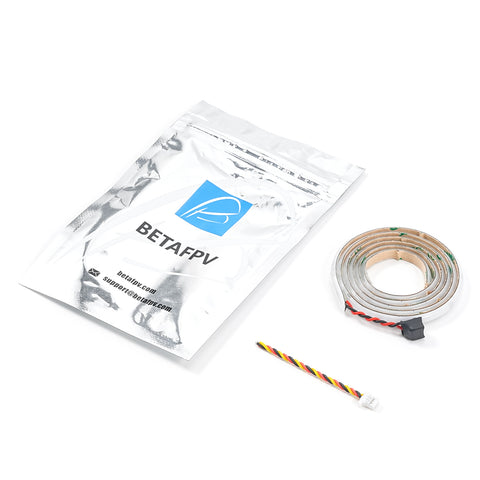
- 1 * Pavo Series COB LED Strip(Ice Blue/White/Green/Red)
- 1 * Anti-static Bag
Browse more
- Browse all Frame Kits
- Browse all BetaFPV
- Browse all Cinewhoops